


Touchgrind BMX 2
4.75.06K Reviews
App Specs
- Version
- 2.5.1
- Updated On
- License
- Free
- Downloads
- 50,000,000+
- Developer
- Illusion Labs
- Categories
- Sports
- Platform
- Android, iOS
Screenshots
 Analysis by AppCompare
I usually give a mobile sports game a few minutes to show whether its controls have real depth or just look flashy. This one makes its case through the way you handle the bike: your fingers become the rider’s hands, and small changes can turn a clean landing into a crash. That makes the first stretch feel like practice rather than a tutorial to rush through. If you enjoy learning a tactile control scheme, Touchgrind BMX 2 has an appealing hook; if you want instant, hands-off action, its demands may feel like work.
What the first goals teach you
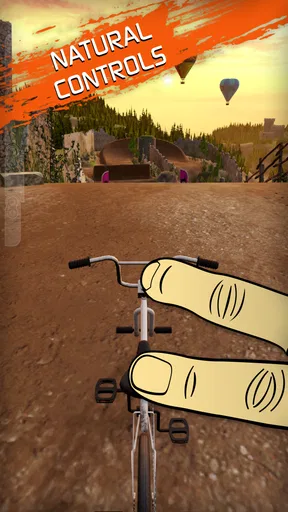
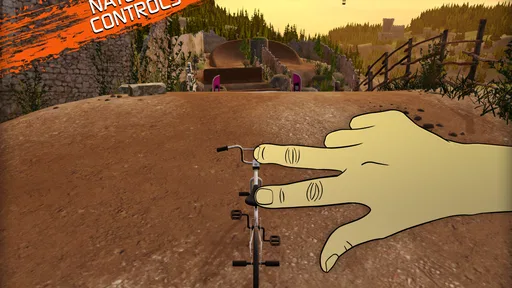
Early progress is most satisfying when I treat each run as a small experiment. Instead of chasing every objective at once, I focus on one trick or one clean landing, then try to build on it. The game’s two-finger controls reward deliberate movement, so repeating a short section with a clear aim can teach more than making a series of frantic attempts. That is useful for newcomers who want to understand why a run went wrong, not merely watch another crash.
The central appeal is not only collecting tricks but learning to connect them. A modest combination that lands reliably can be more useful than an ambitious sequence that ends on the pavement. I found it helpful to make one adjustment at a time: keep the approach steady, try a different finger movement, and pay attention to how the bike responds. It’s a practical way to build confidence without turning every attempt into a test of patience.
Progress that feels earned
Challenges and medals give each location a reason to revisit it, while unlocks offer a visible sign that practice is moving somewhere. That structure suits short sessions: I can pick one target, give it a few tries, and leave with a clearer sense of what to work on next. It also prevents the levels from feeling like scenery to pass through once. Going back with better control can make a familiar course feel newly demanding.
There is a useful distinction between progression and mastery here. Unlocking another bike or level marks progress, but it does not mean every trick has suddenly become easy. The most rewarding gains are often personal: a sequence that used to break apart now comes together, or a landing that once felt lucky starts to feel repeatable. If you like games where your own skill improves alongside the visible unlocks, this approach works well.
When a run goes wrong
The same precision that makes a successful combo satisfying also creates friction. At first, it can be hard to tell whether a failed attempt came from timing, direction, or trying to do too much at once. I would not recommend treating every crash as proof that the controls are unfair; often it is a cue to simplify the sequence and understand one movement before adding another. Still, players who prefer immediate, forgiving controls may find the learning curve steeper than they want from a casual game.
My most useful rule is to practise the start of a trick chain before worrying about its finish. If the approach is inconsistent, the later moves are difficult to judge. Once the opening feels dependable, I add the next action and focus on landing cleanly. This step-by-step workflow makes the challenge feel more manageable, and it helps separate a control mistake from an overly ambitious plan.
Worth Reading Before You Choose

Baby Panda World Brings Quick Play to Modern Phones, but Its Game Library Feels Busy

ESPN’s Live Game View Makes Following Close Games Easier

QuizzLand Review: A Good Fit for Short Trivia Breaks, Not Every Player

Basketball Stars: Multiplayer Is Fast, but Can It Recover When Matches Go Wrong?

WEBTOON Turns Phone Updates Into a Better Reading Routine

Link to Windows Runs on Shared Habits, Not Social Feeds
Who will enjoy its kind of challenge
This is a strong fit for anyone who enjoys finger-skill games, repeated attempts, and the satisfaction of improving through practice. It also works for BMX fans who want an arcade-style way to experiment with stunts without needing a real bike or a place to ride. I can imagine opening it during a break, choosing one medal goal, and spending a few minutes trying to make a cleaner run. The bite-sized aim gives a session a natural stopping point, even if one more attempt is tempting.
On the other hand, I would skip it if your ideal sports game is a broad career simulation, a realistic management experience, or a simple racer where steering and speed do most of the work. This game puts the emphasis on direct trick control, so its appeal depends on whether you enjoy learning gestures and repeating a course. It is also not the best pick when you want a game that is instantly comfortable without a period of trial and error.
How it differs from other sports games
Compared with typical mobile racing games, the focus is less on reaching a finish line and more on shaping a convincing trick run. Compared with sports titles that rely on virtual buttons, the two-finger approach feels more physical, but it also asks for more precision. That trade-off is the game’s defining strength and its clearest barrier: the controls make successful tricks feel personal, while a missed movement can be frustrating until you know what to adjust.
It also differs from casual stunt games that let you tap once and watch a rider perform. Here, experimentation is part of the entertainment. I enjoy that when I have the patience to practise; when I only want a quick visual thrill, a simpler arcade game is a better match. The choice comes down to whether you want to participate in the trick itself or simply enjoy seeing stunts happen.
First Impressions and Gameplay
When you first dive into Touchgrind BMX 2, the game greets you with vibrant graphics and an intuitive interface. The controls are pretty unique—you use two fingers to maneuver your bike. One finger controls the direction, while the other is all about performing tricks. It took me a bit to get the hang of it, but once I did, it was like finding my rhythm on a real BMX.
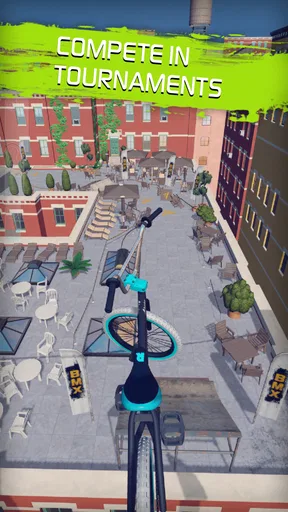
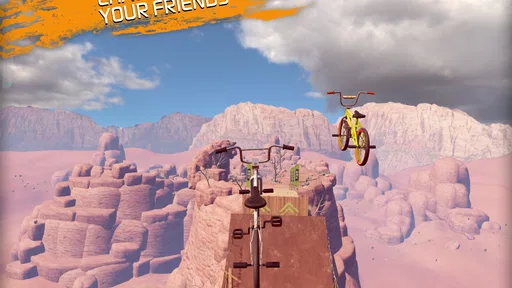
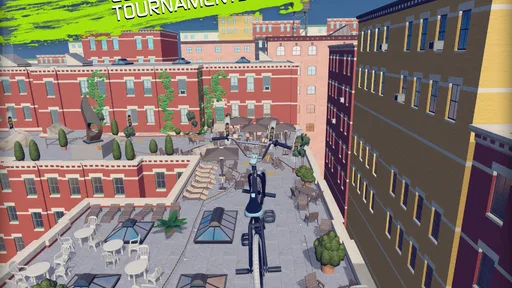
The game’s physics are spot on, making every flip and trick feel incredibly satisfying. You’ll find yourself in stunning locations around the world, from the rooftops of New York to the snowy slopes of the Alps. Each location offers a unique set of challenges, and I found myself replaying levels just to nail that perfect trick chain.
Customization and Progression
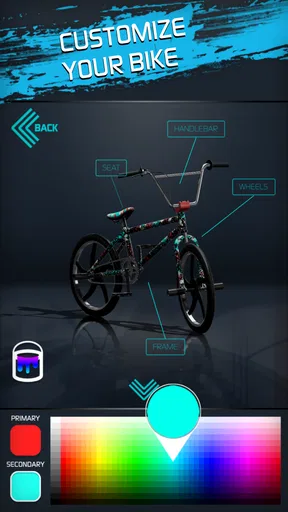
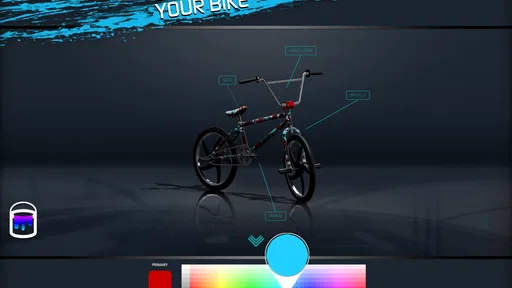
Touchgrind BMX 2 isn’t just about the tricks. It's also about style. The customization options are pretty impressive. You can tweak your bike’s colors, frames, and even the wheels. I spent a good amount of time making my bike look as flashy as possible. There’s a real sense of progression as you unlock new bikes and levels by completing challenges and earning medals.
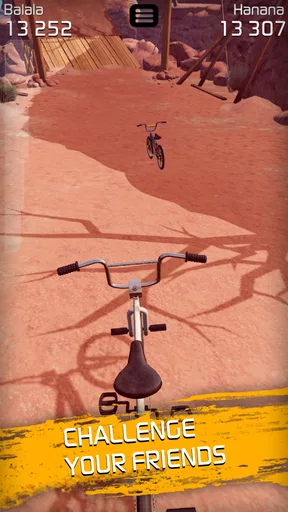
The competition aspect is also quite engaging. I loved comparing my high scores with friends and trying to climb the global leaderboards. It adds a competitive edge that keeps you coming back for more.
What Makes It Stand Out?
Now, what sets Touchgrind BMX 2 apart from other BMX games? For me, it’s all about the controls and the pure fun of experimenting with different tricks. The game encourages creativity, and there’s nothing more satisfying than landing a trick combo you’ve been practicing for ages.
Plus, the graphics are consistently stunning across all devices, making it a delight to play whether you’re on a quick break or deep into a gaming session. It’s clear that a lot of love went into the design of each level, with every detail adding to the overall experience.
Goals, challenge, and staying power
The game comes from Illusion Labs, a developer whose name is attached to a very hands-on sports experience here. It is free to play, rated for Everyone, and has a 4.6 average from around 331,000 ratings. Those figures suggest a broad audience, but the controls still determine whether it suits you personally: popularity cannot remove the need to practise.
There is a retention trade-off in the way goals and unlocks encourage replay. Challenges make returning to a course purposeful, yet a player who feels compelled to clear every target may turn a playful stunt game into a checklist. I get more out of it by choosing one goal per session and stopping once I have made meaningful progress. That keeps the retry loop satisfying rather than letting a stubborn medal dictate the whole evening.
Bike customization gives that progress a personal layer, but I would treat appearance as a bonus rather than the main reason to keep playing. The strongest reward is still the moment a tricky combination becomes controllable. Likewise, leaderboards can add motivation if you enjoy comparing scores, but they are not essential to enjoying the courses. Players who do not care about rankings can concentrate on their own runs and improvements.
Everyday play and practical expectations
A realistic use case is a short wait between errands: I would open the game, choose a course I already know, and work on a single challenge rather than start a long session with no plan. Familiar terrain lets me focus on the trick instead of learning the layout at the same time. If I have more time, I can explore a less familiar location or try to improve a score. The same game can support either kind of session, but the focused approach makes brief play feel worthwhile.
It is also worth knowing what kind of commitment the game asks for. The download is free, while optional in-app purchases range from $0.99 to $24.99 per item. I would start by learning the controls and seeing whether the challenge loop clicks before considering any purchase. The game’s version is 2.4.10, and it requires Android 10 or later. It has passed 50 million installs, but those broad figures do not change the practical question: do you enjoy repeating a run to improve it?
For parents choosing a sports game, the Everyone age rating is a straightforward point in its favor. For players deciding between this and a more conventional BMX racer, I would choose this one for stunt experimentation and finger control, and choose the racer if speed, steering, or a more familiar button-based feel matters more. It is a focused game rather than an all-purpose sports package, and that focus is exactly why it feels distinct.
Final Thoughts
Overall, Touchgrind BMX 2 is an absolute blast. Whether you're a casual gamer or a BMX enthusiast, there's something here for everyone. Sure, the controls have a bit of a learning curve, but once you master them, you’ll be pulling off tricks you never thought possible.
If you’re looking for a game that combines skill, creativity, and a bit of friendly competition, this is definitely one to check out. So, grab your virtual BMX and get ready to ride. You won’t want to put it down!
Pros
- Realistic graphics enhance gaming experience.
- Intuitive controls make gameplay smooth.
- Variety of bikes and customization options.
- Frequent updates with new tracks.
- Engaging challenges keep players hooked.
Cons
- Requires high-end device for optimal performance.
- In-app purchases can be costly.
- Limited offline features.
- Occasional connectivity issues.
- Learning curve for mastering tricks.
FAQs for Touchgrind BMX 2
What devices are compatible with Touchgrind BMX 2?
Touchgrind BMX 2 is compatible with both Android and iOS devices. For iOS users, the app requires iOS 9.0 or later, and it is compatible with iPhone, iPad, and iPod touch. Android users should have a device running Android 4.2 or higher to ensure optimal performance and gameplay.
Is Touchgrind BMX 2 free to play or does it have in-app purchases?
Touchgrind BMX 2 is free to download and play. However, it offers in-app purchases that allow players to unlock additional bikes, customization options, and other premium features. These purchases can enhance the gaming experience but are entirely optional, allowing players to enjoy the game without spending money.
How does the gameplay of Touchgrind BMX 2 work?
In Touchgrind BMX 2, players use two fingers to control a virtual BMX bike, performing tricks and stunts on various tracks. The game emphasizes skill and precision, requiring players to master different tricks to earn points and unlock new levels and bikes. The intuitive controls make it engaging for both beginners and experienced players.
Can I play Touchgrind BMX 2 offline?
Yes, Touchgrind BMX 2 can be played offline. This feature allows players to enjoy the game without an internet connection, making it a great option for on-the-go entertainment. However, some features, like leaderboards and certain updates, may require an internet connection to access.
Does Touchgrind BMX 2 offer multiplayer modes?
Touchgrind BMX 2 primarily focuses on single-player experiences, where players can compete against themselves or the game's AI. However, it features global leaderboards where players can compare their scores with others worldwide, adding a competitive edge to the gameplay even though direct multiplayer modes are not available.


